My colleagues want to use RepSignal but don't have log in information. How can they get it?
To add users within your company, reach out to your RepSignal Account Representative to set up new accounts for your team. If you’re unsure who your RepSignal Account Representative is, submit a help request via this form.
If your company doesn’t have access to RepSignal yet, click here to learn more about how RepSignal can optimize your sales process.
RepSignal Company Settings
What is a Module? What is a Target Procedure Set?
A Procedure Module is a grouping of related procedures and provider specialties - which work together so RepSignal can show information specific to your team’s targeting strategy. Modules prove very useful when splitting out separate targeting strategies for a product, or even representing targeting strategies for different products.
At S2N, we work together with Company Account Leads to determine the best account configuration during the onboarding process, which includes creating all the Modules available for their company. Modules can be highly specialized to any given customer, as each one is created custom for each company.
How can I see my Target Procedure Sets, Specialties, Relevant Trial & Publication Keywords, FDA Product Codes, or Custom Followed Twitter Accounts?
To view your Account Information, go to the “My Account” page in RepSignal.
Click the settings icon in the navigation bar
Click “My Account”
How can I add to/edit my Target Procedure CPT or ICD10-PCS Codes?
Target CPT and ICD10-PCS codes are chosen by the Company Account Lead during the onboarding process. To add to or edit your codes, contact your company's system administrator or reach out directly to your RepSignal Account Representative. If you are unsure who your RepSignal Account Representative is, submit a help request via this form.
How can I add to/edit my Physician Specialties?
Relevant Physician Specialties are chosen by the Company Account Lead during the onboarding process. To change your Relevant Physician Specialties, contact your company's system administrator or reach out directly to your RepSignal Account Representative. If you are unsure who your RepSignal Account Representative is, submit a help request via this form.
I want to track more Relevant Trial & Publication Keywords, Custom Followed Twitter Accounts and Hashtags, and/or FDA Product Codes. How can I do this?
Keywords, Social Media Accounts, and Product Codes are chosen by the Company Account Lead during the onboarding process. To change your Clinical Keywords, Social Media Accounts, and/or FDA Product Codes, contact your company's system administrator or reach out directly to your RepSignal Account Representative. If you are unsure who your RepSignal Account Representative is, submit a help request via this form.
What are Relevant Trial & Publication Keywords, Custom Followed Twitter Accounts, and/or FDA Product Codes?
Relevant Trial & Publication Keywords are keywords used to identify relevant clinical trials and publications throughout RepSignal, including any publications you see listed on Physician profiles or in My News, and any clinical trials you see in Hospital Profiles or in My News. Note: if any publications or trials you know of aren’t showing up, it might be due to a missing keyword. To add to or edit your codes, contact your company's system administrator or reach out directly to your RepSignal Account Representative. If you are unsure who your RepSignal Account Representative is, submit a help request via this form.
Custom Followed Twitter AccountsAnd Hashtags are Twitter accounts or hashtags used to identify relevant tweets on the My News page. Note: To add to or edit your codes, contact your company's system administrator or reach out directly to your RepSignal Account Representative. If you are unsure who your RepSignal Account Representative is, submit a help request via this form.
FDA Product Codes are FDA-determined 3-letter codes representing different types of medical device products. S2N determines these codes and uses them to find relevant competitor/industry news in the form of recent FDA updates on the My News page. Note: To add to or edit your codes, contact your company's system administrator or reach out directly to your RepSignal Account Representative. If you are unsure who your RepSignal Account Representative is, submit a help request via this form.
RepSignal Data Sources
Tell me more about the underlying data used in RepSignal.
RepSignal pulls from a variety of public and private databases. These include claims, prescription, facility, and other data. For more details on RepSignal data sources, see our Overview of RepSignal Data.
How often is RepSignal data updated?
All of RepSignal’s data is updated annually at a minimum, with most data sources being updated more frequently. For more details on update cadence, see our Overview of RepSignal Data.
RepSignal Data
What portion of the market does the "RepSignal Procedure Volume Estimate” represent?
The “RepSignal Procedure Volume Estimate” represents a total 2022 procedure volume estimate for the Target Procedures identified in your Procedure Module (for more, click here).
A facility I sell to is not showing up in RepSignal. Why is this?
Currently, RepSignal captures 5.3K+ Hospitals, 25K+ Imaging Centers, 1.2K+ OBLs, and 13K+ ASCs. To learn more about our facility data, see our Overview of RepSignal Data.
To check if a site of care is included in RepSignal's data, try using the search function!
Click the search icon in the navigation bar
Search site of care by name, location, and more.
If there is a facility missing you think should be included, we want to hear about it! Please submit a RepSignal Data Notice form to help us improve our services for the MedTech community.
A physician I know of is not showing up in RepSignal. Why is this?
Currently, RepSignal includes all physicians registered with an NPI through the CMS National Plan and Provider Enumeration System (NPPES). This represents >1.2M physicians in the US. If a physician is not registered with an NPI through this system, they may not show up in RepSignal. Additionally, RepSignal filters providers to only include those within one of your Relevant Physician Specialties. If a provider is not registered within one of these specialties, they will not show up by default. Relevant Physician Specialties are chosen by the Company Account Lead during the onboarding process. To change your Relevant Physician Specialties, contact your company's system administrator or reach out directly to your RepSignal Account Representative. If you are unsure who your RepSignal Account Representative is, submit a help request via this form.
To check if a physician is included in RepSignal's data, try using the search function!
Click the search icon in the navigation bar
Search physicians by name, location, and more.
If there is a provider missing that you think should be included, we want to hear about it! Please submit a RepSignal Data Notice form to help us improve our services to the MedTech community.
I know one of my Physicians is active on Twitter, but his/her Tweets are not showing up on My News. Why?
RepSignal attempts to match all physicians in its database with their respective social media accounts. However, this process may result in missing data given that many physicians do not use their credentialed names in their social media account profiles.
Additionally, RepSignal filters Tweets for relevancy with an aim to only show high-impact Tweets, so it’s possible certain Tweets are filtered out due to low relevancy.
If you would like to add a physician to your followed accounts list, contact your company's system administrator or reach out directly to your RepSignal Account Representative with their username. If you are unsure who your RepSignal Account Representative is, submit a help request via this form.
One of my physician’s procedure volumes seems too high or too low. What is going on?
RepSignal estimates total annual target procedure volumes for each physician based on a sample of data that may not capture the entire practice of each physician and, like with any estimate, there is a margin for error.
To learn more about how to interpret our RepSignal Procedure Volume Estimate, see our RepSignal Data Glossary.
Additionally, we would love to learn from your experience. If there is a discrepancy in a physician's RepSignal Procedure Volume Estimate, we want to hear about it! Please submit a RepSignal Data Notice form to help us improve our services to the MedTech community.
I know my physician prescribes a drug that isn’t showing up in RepSignal. Why?
Currently, RepSignal captures all Medicare Part D prescriptions. If a provider did not prescribe a drug to a Part D beneficiary in the relevant timeframes, it may not show up in RepSignal.
If there is a prescription missing that you think should be included, we want to hear about it! Please submit a RepSignal Data Notice form to help us improve our services to the MedTech community.
Why can’t I see 2022 data for Medicare FFS procedure volumes on the Physician Profile?
This fully finalized summary of procedural data takes longer to process and tends to lag by 1-2 years. We upload the most recent data as soon as it’s available. Note that we take into account more up to date quarterly data in our RepSignal Procedure Volume Estimate. To learn more, see our RepSignal Data Glossary.
I know of an ongoing clinical trial in my territory that isn’t showing up in RepSignal. What’s going on?
RepSignal identifies clinical trials based on Clinical Keywords which are chosen by the Company Account Lead during the onboarding process. If the trial does not match the Clinical Keywords associated with your account, it may not appear in RepSignal. Additionally, if a trial is not being run at one of the facilities in your territory/region, it may not appear in RepSignal.
To view the Clinical Keywords associated with your account, visit the My Account page in RepSignal.
To change your Clinical Keywords contact your company's system administrator or reach out directly to your RepSignal Account Representative. If you are unsure who your RepSignal Account Representative is, submit a help request via this form.
I know of a recent Publication that isn’t showing up in RepSignal. What’s going on?
RepSignal identifies recent publications based on Clinical Keywords which are chosen by the Company Account Lead during the onboarding process. If the publication does not match the Clinical Keywords associated with your account, it may not appear in RepSignal. Additionally, if a publication is not authored by one of the physicians in your Territory/Region, it may not appear in RepSignal.
To view the Clinical Keywords associated with your account, visit the My Account page in RepSignal.
To change your Clinical Keywords contact your company's system administrator or reach out directly to your RepSignal Account Representative. If you are unsure who your RepSignal Account Representative is, submit a help request via this form.
What does * mean for physician and hospital procedure volumes?
* indicates there are no Medicare FFS claims for the physician performing the target procedure
Using RepSignal
Is all RepSignal data shown in the Market Explorer?
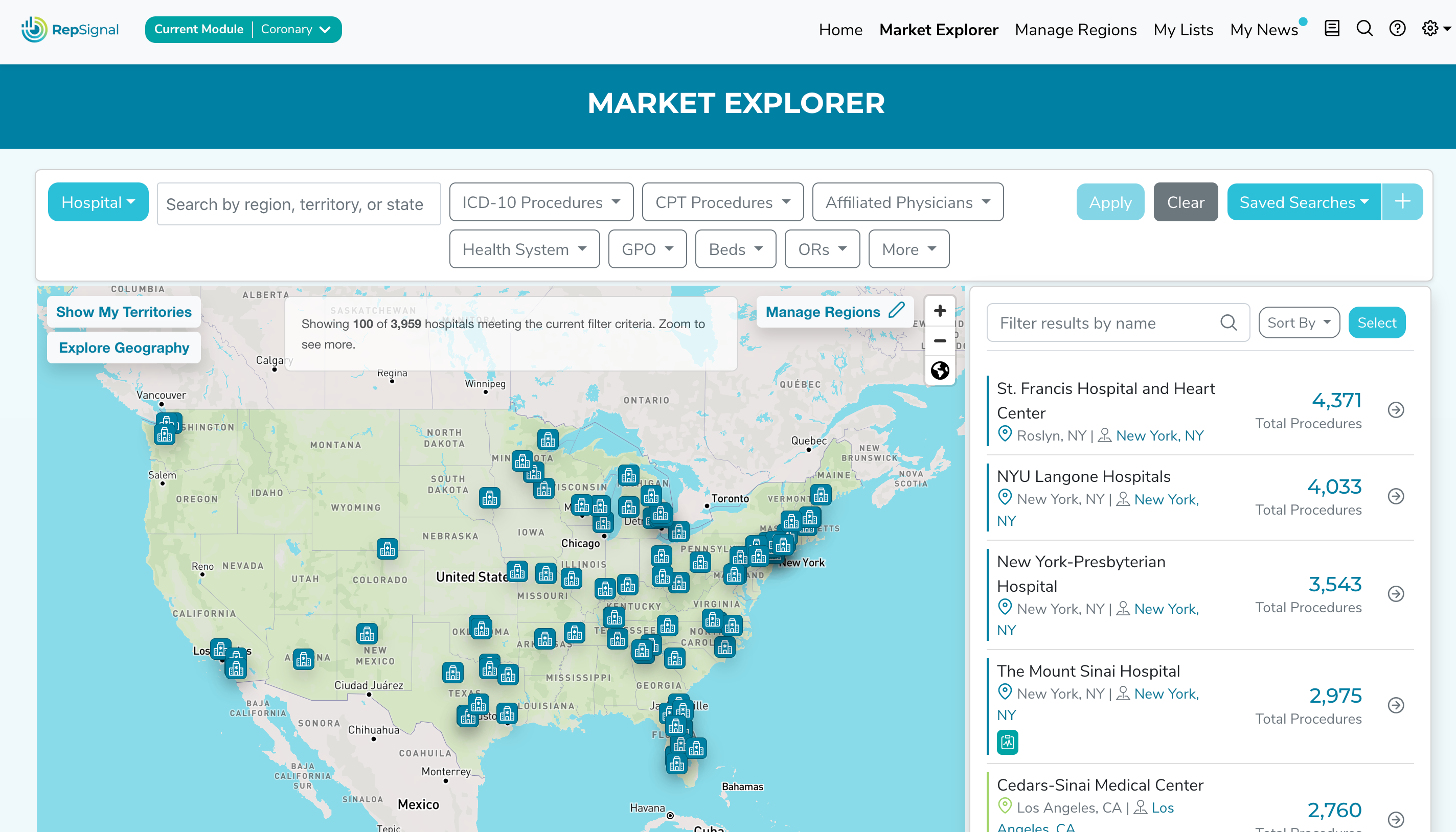
All RepSignal data is accessible through Market Explorer, but it’s not all shown at once by default. Check out our Tutorial Video on this topic!
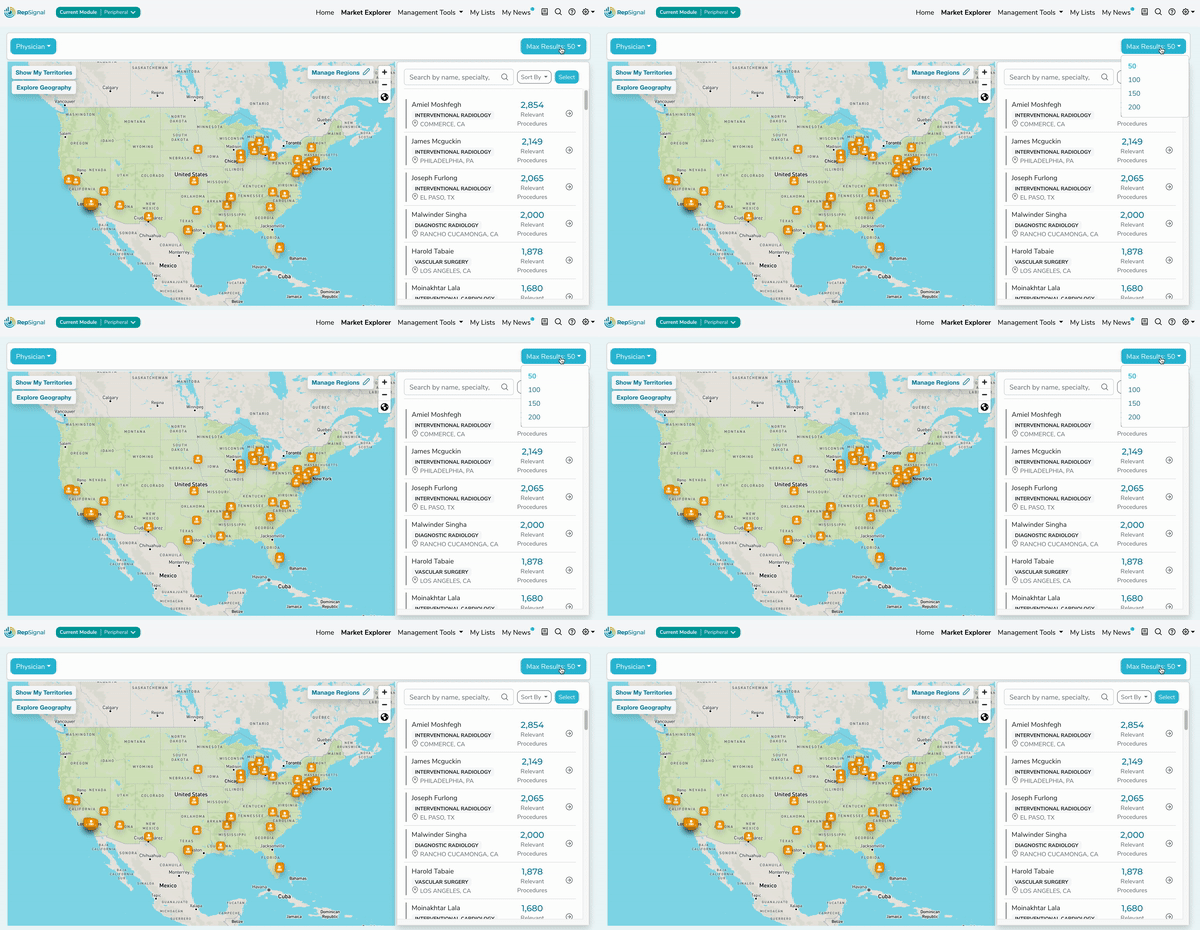
In Market Explorer, users with Leader licenses will get a national-level view by default showing the top 50 hospitals or physicians across the US. The limit of 50 can be expanded up to 200 using the dropdown to the right above the map.
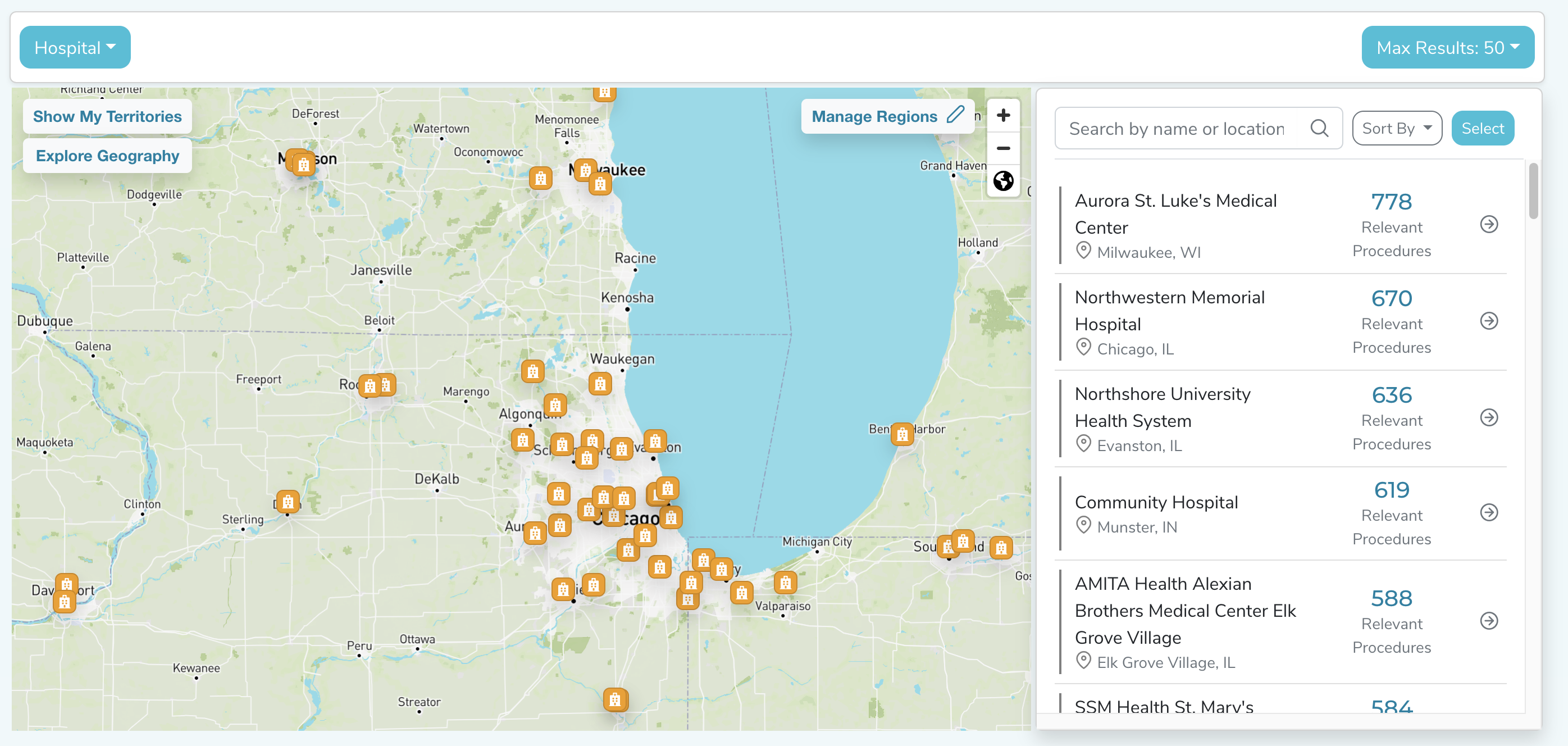
By zooming in on different areas of the map, the limit will be applied to the geographic area in view, and for a small enough geographic area all available data will be displayed.
For non-Leader accounts, similar principles apply. The only caveat is the Market Explorer map will be limited to showing hospitals/physicians within your defined Region or Territory on a non-leader account.
How do I change my territory radius or location?
Only users with a “Leader” account can edit territory/region locations and sizes.
If you do not have a “Leader” account, contact your Company Account Lead to change your territory. If you do not know your account status, you can find it in the orange data card in the upper right-hand corner of the My Account page in RepSignal.
If you do have a “Leader” account, you can edit Regions/Territories by:
Navigating to the “Manage Regions” page
Locating the Region/Territory you would like to edit in the table below the summary map
Clicking the “…” located next to the Territory/Region name
Edit the desired fields
Clicking save
Can I manually add a hospital or physician to my territory?
Currently, RepSignal does not allow custom editing of territories to include or exclude certain facilities or physicians. Territories are defined by a geographic region and will include all facilities and physicians located in the defined geography.
Notice: We think this is a great idea too! Custom territory definition is on the RepSignal product roadmap. Click here to be the first to know about all RepSignal feature updates.
Can I upload my sales data/quotas into RepSignal?
Currently, RepSignal does not allow for custom sales data integration. If you are interested in a custom assessment of sales performance and market coverage, contact the S2N Consulting team via our contact us form.
Please note: We think this is a great idea too! Custom sales data integration is on the RepSignal product roadmap. Click here to be the first to know about all RepSignal feature updates.
I’m trying to add a Region/Territory but RepSignal says it can’t geolocate the address. What should I do?
Occasionally, RepSignal cannot find an address inputted when adding a territory. Here are some common fixes to this problem:
Make sure you’re using a properly formatted address, excluding any suite or apartment numbers (E.g., 50 Milk Street, Boston, MA 02109; not 50 Milk Street, Floor 16, Boston, MA 02109)
Choose a different nearby address
Broaden the address to exclude the street name (E.g., Newton, Massachusetts, United States)
Can I print or export a list of physicians?
Yes! You can download lists of physicians on My Lists pages.
Open a list from your My Lists page
Locate the “Export” button below the list of physicians (bottom left)
Click the “Export” button
The file will download from your browser! Note: a maximum of 500 physicians are able to export at once from a given list.
Can I print or export a list of hospitals?
Yes! You can download lists of hospitals on My Lists pages.
Open a list from your My Lists page
Locate the “Export” button below the list of hospitals (bottom left)
Click the “Export” button
The file will download from your browser! Note: a maximum of 500 hospitals are able to export at once from a given list.
Can I download RepSignal on my phone?
Currently, RepSignal does not have a mobile app to download on your phone. However, you may still access RepSignal directly through the web browser on your mobile device.
Please note that RepSignal is not currently optimized for mobile viewing, but this feature is in the RepSignal product roadmap. Click here to be the first to know about all RepSignal feature updates.
How do I know if my data has updated?
For larger data updates, such as the inclusion of a new data source, the RepSignal team will reach out via email to keep you in the loop! If you want to keep up more generally with RepSignal feature updates, click here to subscribe to our newsletter.
Note: In-app notifications are on the RepSignal product roadmap. Click here to be the first to know about all RepSignal feature updates.
I see an Affiliated Site of Care labeled as an "Other Organization" for one of my target physicians. What does this mean?
RepSignal identifies Organizations registered with CMS through the National Plan and Provider Enumeration System (NPPES). Some of these Organizations don’t have a type that we can identify, typically representing physician groups or offices.
Can I get RepSignal data through my CRM?
Yes! RepSignal is an application on the Salesforce AppExchange. To learn more about integrating with Salesforce, reach out to your RepSignal Account Representative.
Can I share lists I create on My Lists?
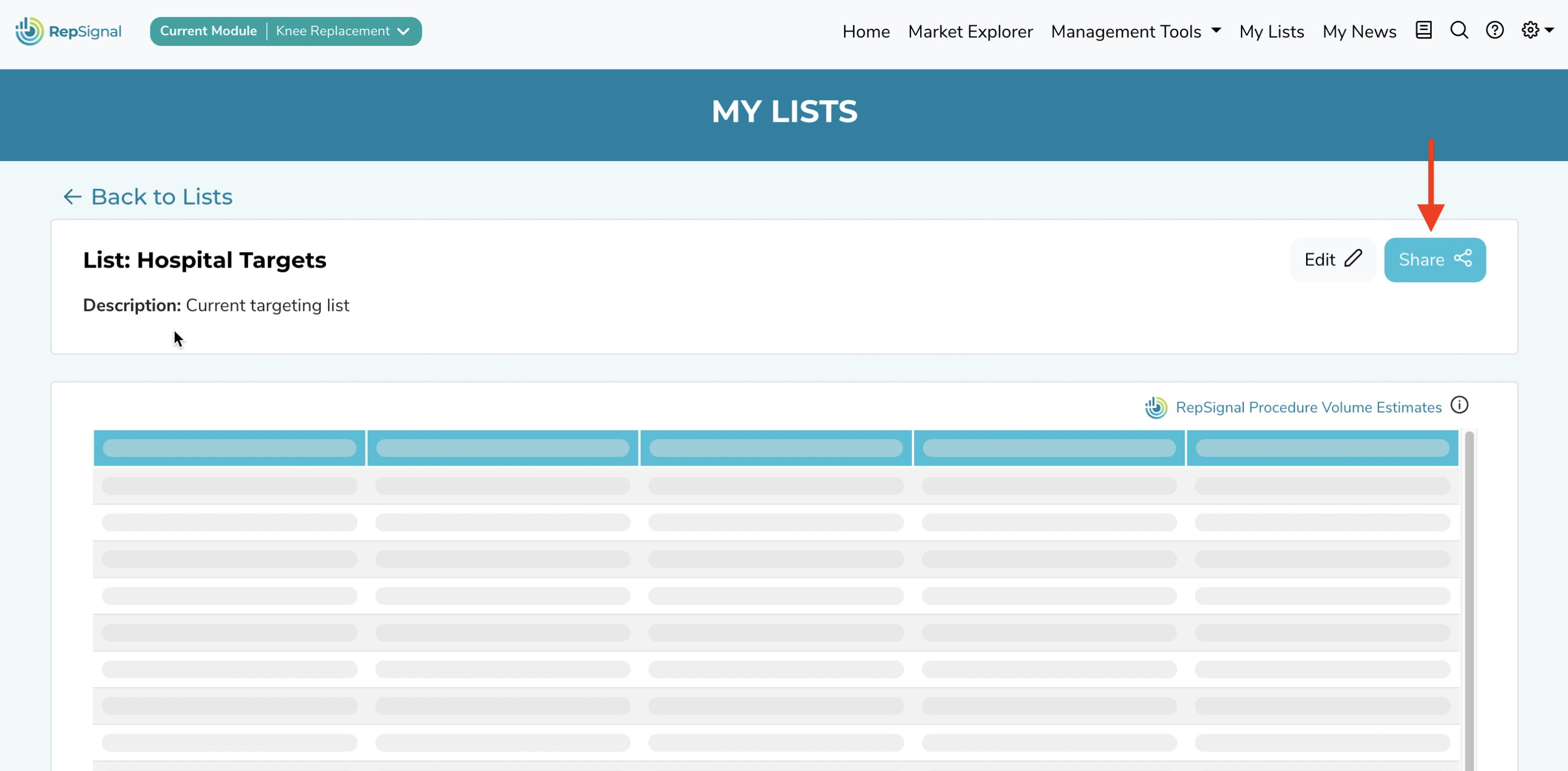
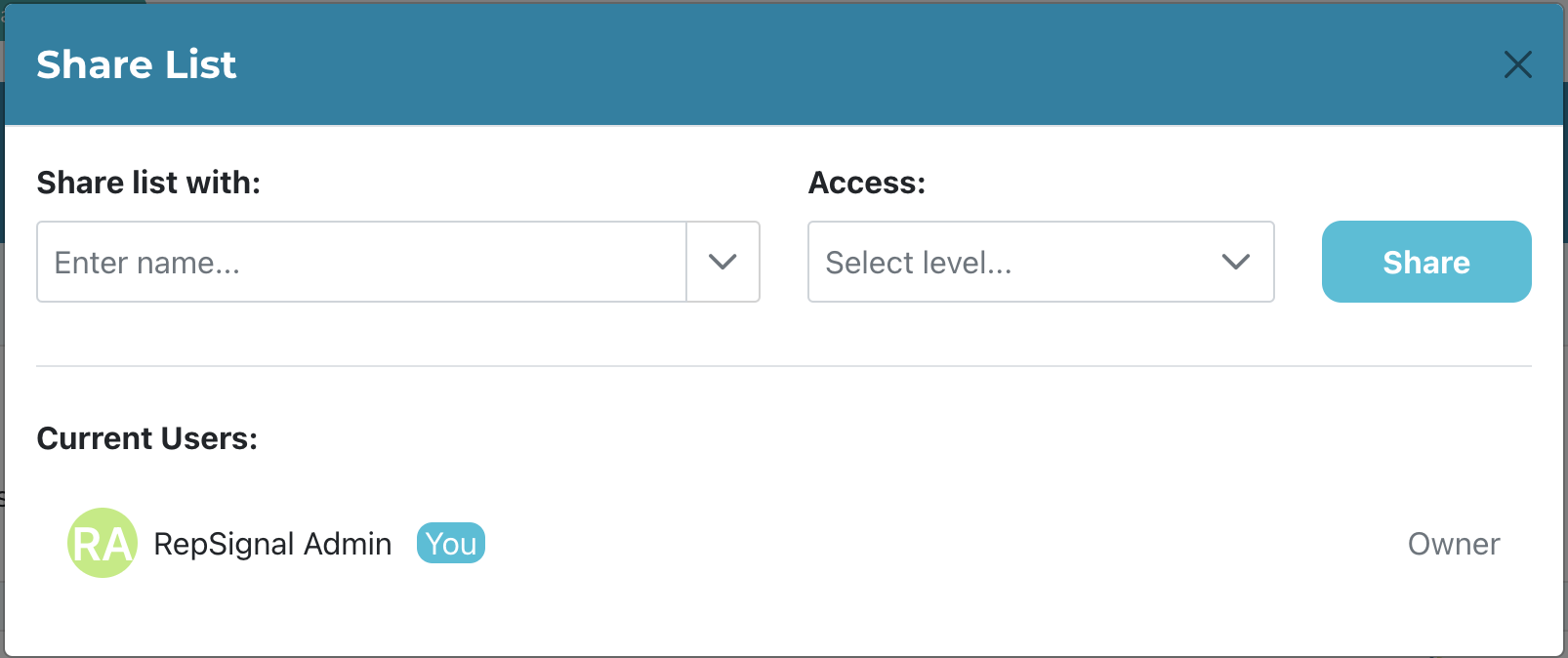
Yes! To share a list, click the share button in the top right of a List page. Then, select which colleagues to share it with and set permissions as View or Edit in the Access dropdown and share!
Can I search for a physician outside my defined Specialties?
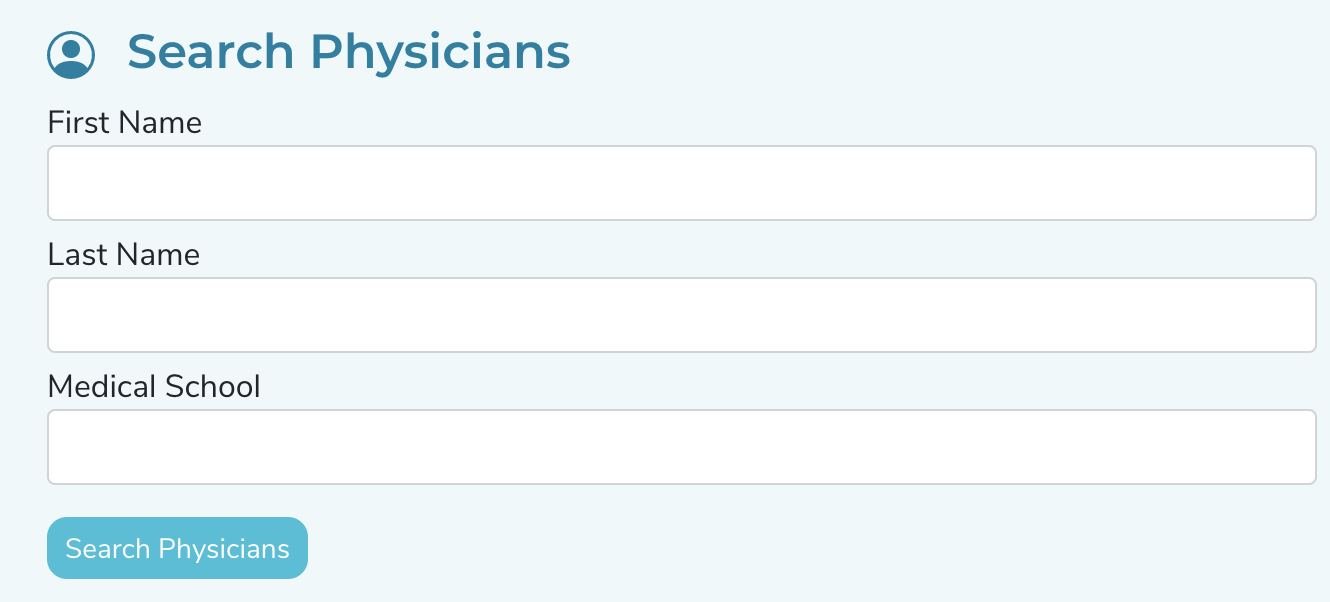
Yes! By utilizing the search function you can find any physician in the RepSignal universe, which represents >1.2M physicians in the US.
To search for a physician:
Click the search icon in the navigation bar
Search physicians by name, medical school, and more.
Can I find data on another CPT code not in my Target Procedure Sets?
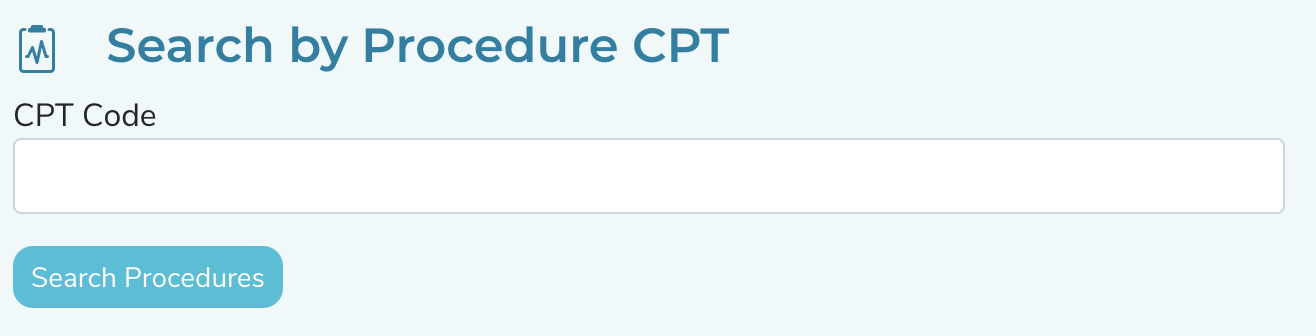
Yes! By utilizing the search function you can get a summary of billing physicians and their Medicare FFS volumes over time for any given CPT code within your defined Specialties.
To search for a CPT code:
Click the search icon in the navigation bar
Search any CPT code
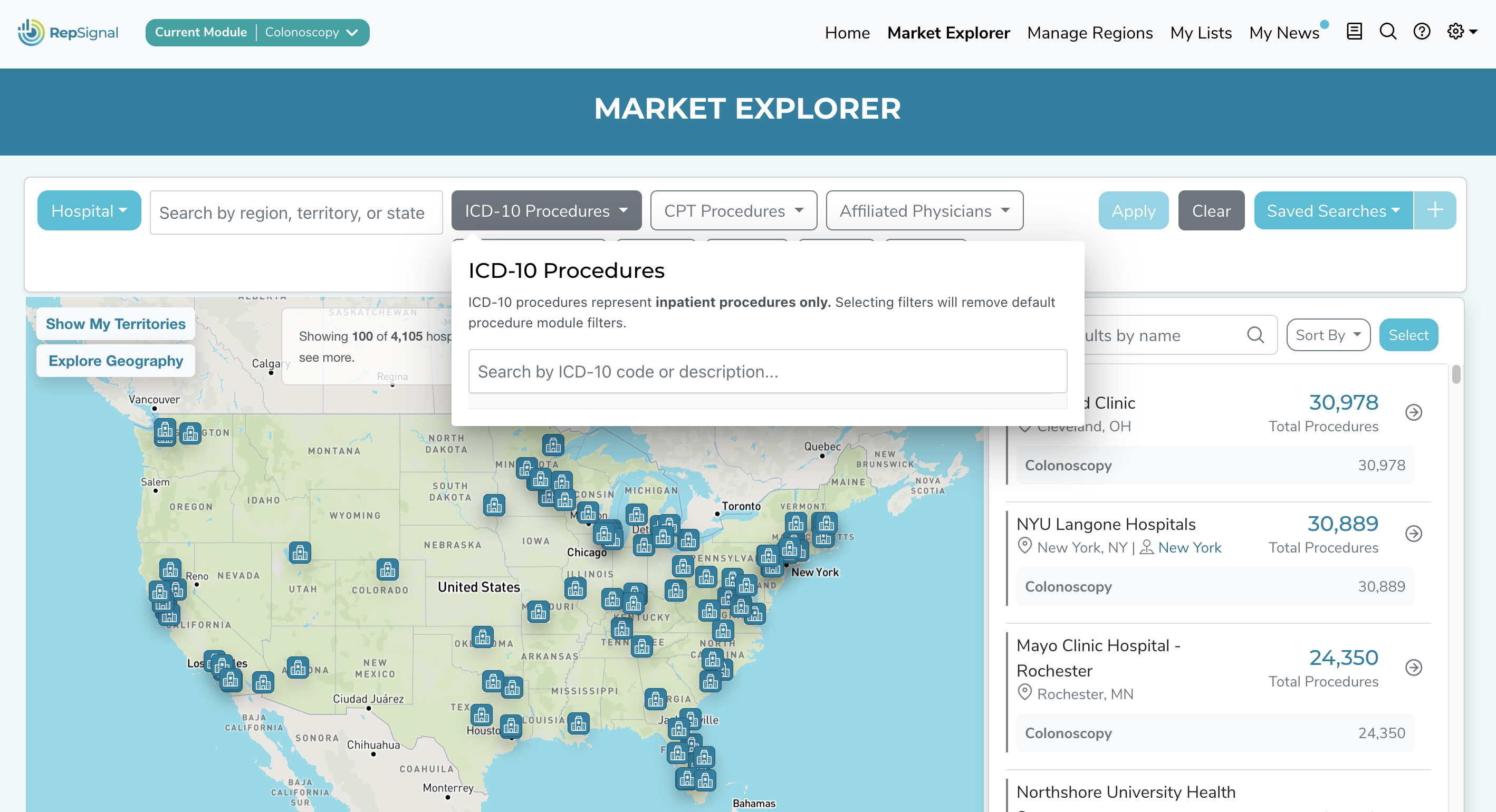
Additionally, you can input a CPT code to the “Procedures” filter on Market Explorer to see physician’s in your procedure module’s specialties who bill that code.
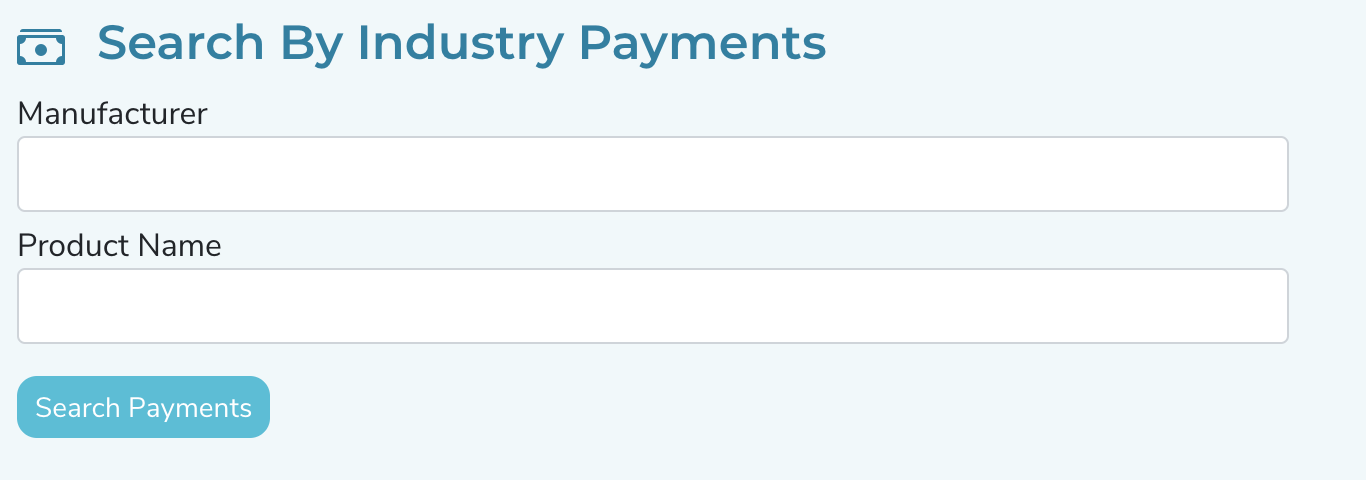
Can I get a summary of all the payments from a specific manufacturer / for a specific device?
Yes! By utilizing the search function you can get a summary of payments at the manufacturer or device level.
To search for a manufacturer or device:
Click the search icon in the navigation bar
Search any manufacturer or device by name
Hint: You may want to try one or two words within a longer manufacturer/device name.
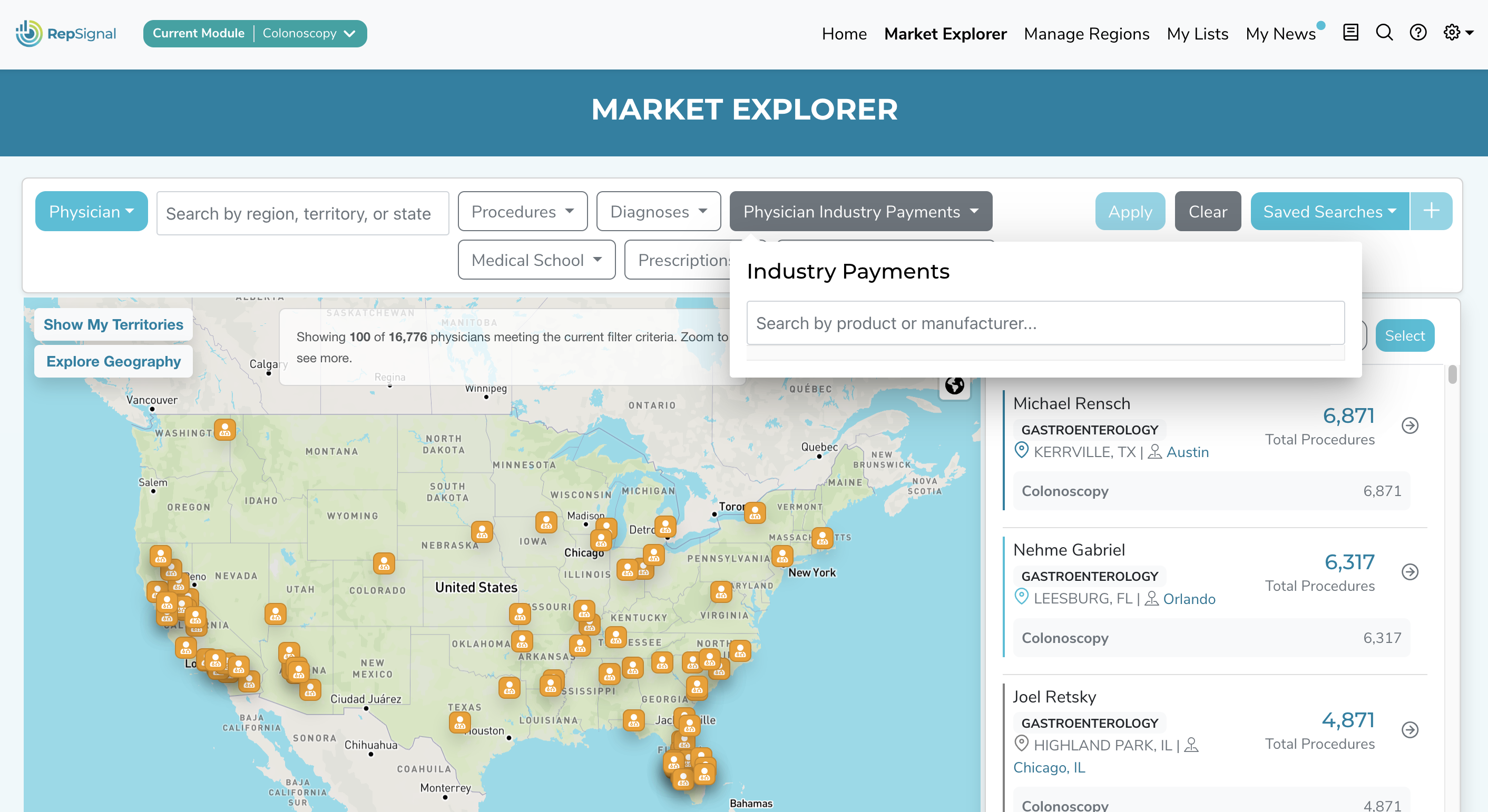
Additionally, you can input a Device or Manufacturer to the “Physician Industry Payments” filter on Market Explorer to see physician’s in your procedure module’s specialties who have received payments for the relevant Device or Manufacturer.
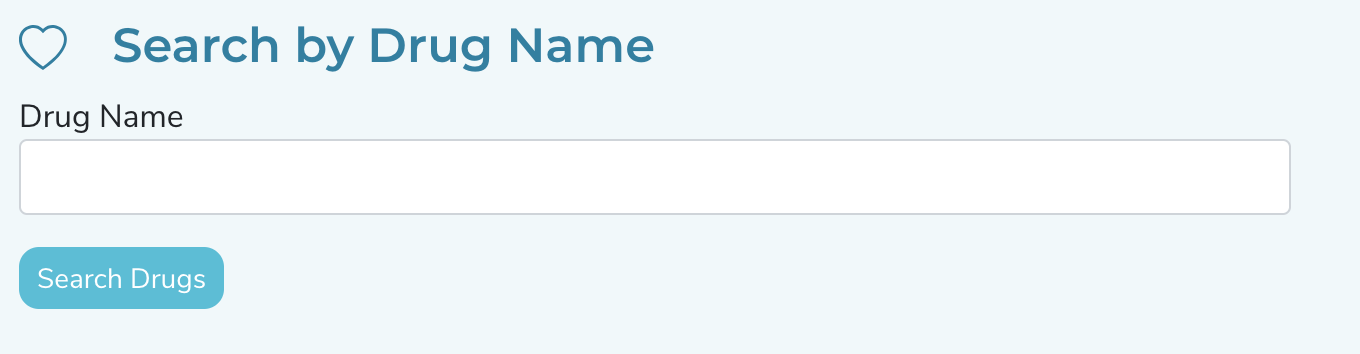
Can I get more information on physicians prescribing a particular drug?
Yes! By utilizing the search function you can get a summary of physicians prescribing any Part D drug.
To search for a Prescription:
Click the search icon in the navigation bar
Search any prescription by name
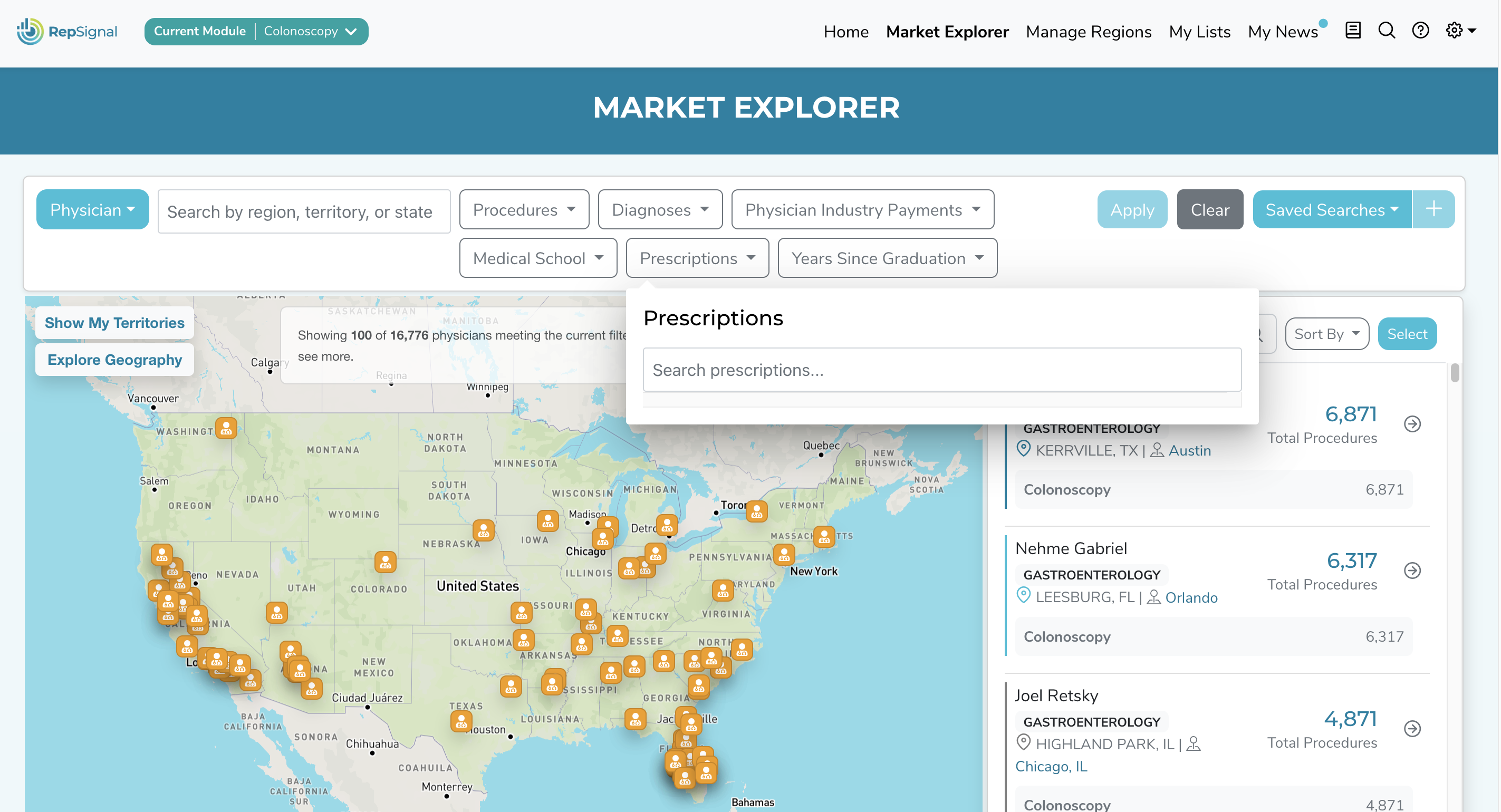
Additionally, you can input a Pard D Drug to the “Prescriptions” filter on Market Explorer to see physician’s in your procedure module’s specialties who bill for that drug.
Can I search for any hospital in RepSignal?
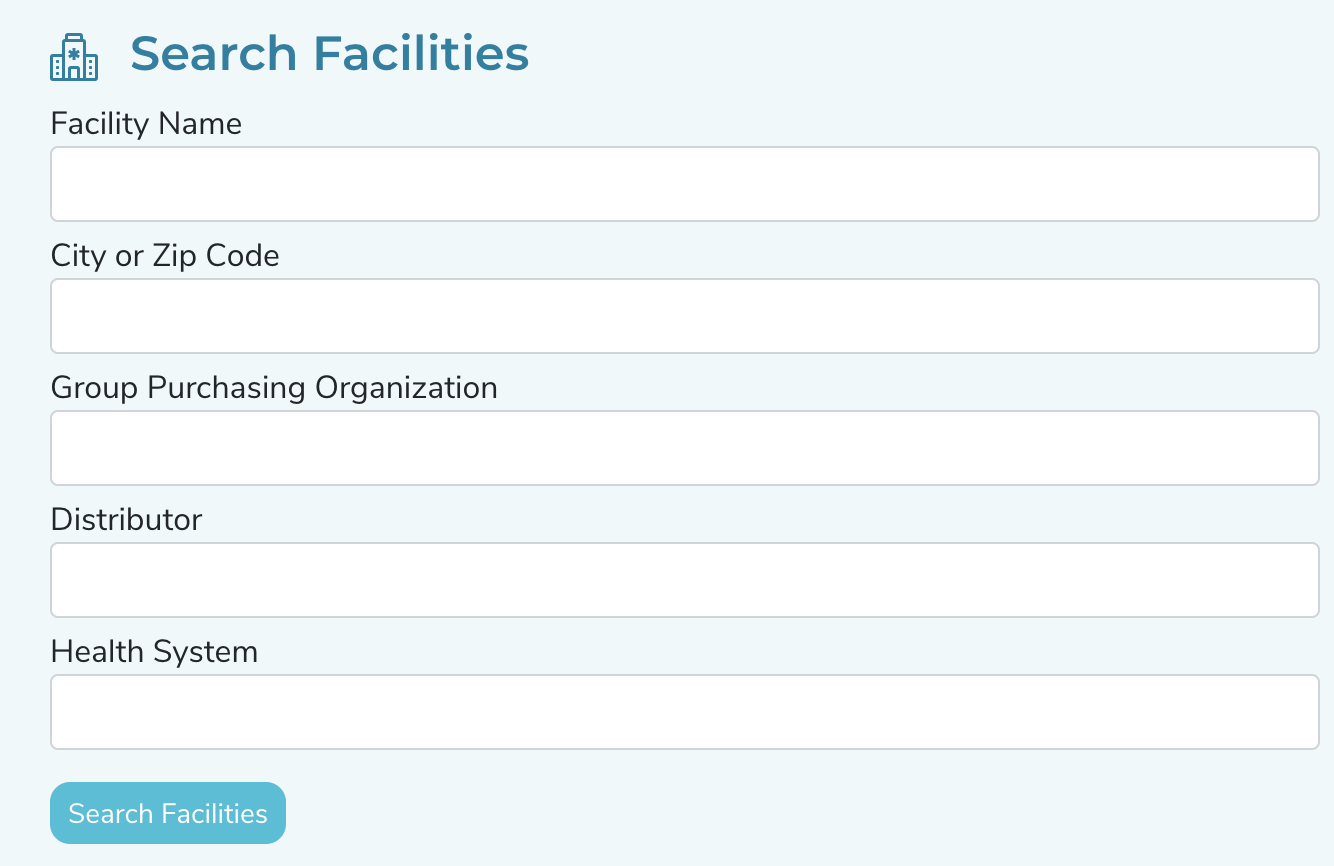
Yes! By utilizing the search function you can find hospitals by name, location, or even their affiliated GPO, Health System, or Distributor.
To search for a Hospital:
Click the search icon in the navigation bar
Search hospitals by any field
Additionally, you can utilize the filters on Market Explorer to find subsets of Hospitals meeting your desired criteria for Procedures, Affiliated Physician Specialties, Beds, ORs, GPO, Health System, Services Provided, Accreditations, and Payer Mix
Other Help Topics
How do I cite RepSignal data if I’m using the output in a document?
Citing RepSignal data is a great idea anytime you use the outputs in a document. We recommend using the following citation template:
S2N Health, (Current Year) RepSignal [web software]. Accessed: Today’s date
RepSignal updates happen frequently, with smaller changes happening every month.The RepSignal team will reach out via email to keep you in the loop on any major feature updates in the software. Our Customer Success team will provide training videos and materials when updates occur and are happy to provide 1-on-1 support as needed.
RepSignal is taking a while to load, what should I do?
RepSignal may take a few moments to load, especially when completing tasks such as Territory Optimization. We’re constantly working to improve the efficiency of our application so expect RepSignal to get faster over time.
I’m still having trouble, what should I do?
Sorry to hear that! To get further assistance, contact your company's system administrator or reach out directly to your RepSignal Account Representative. If you are unsure who your RepSignal Account Representative is, submit a help request via this form.
JavaScript errors detected
Please note, these errors can depend on your browser setup.
If this problem persists, please contact our support.