
V0.18
V0.18.0
May 31, 2023
What’s New in RepSignal
New look, same great profiles. We redesigned our physician, hospital, and alternate site profiles so you can easily find what you are looking for…
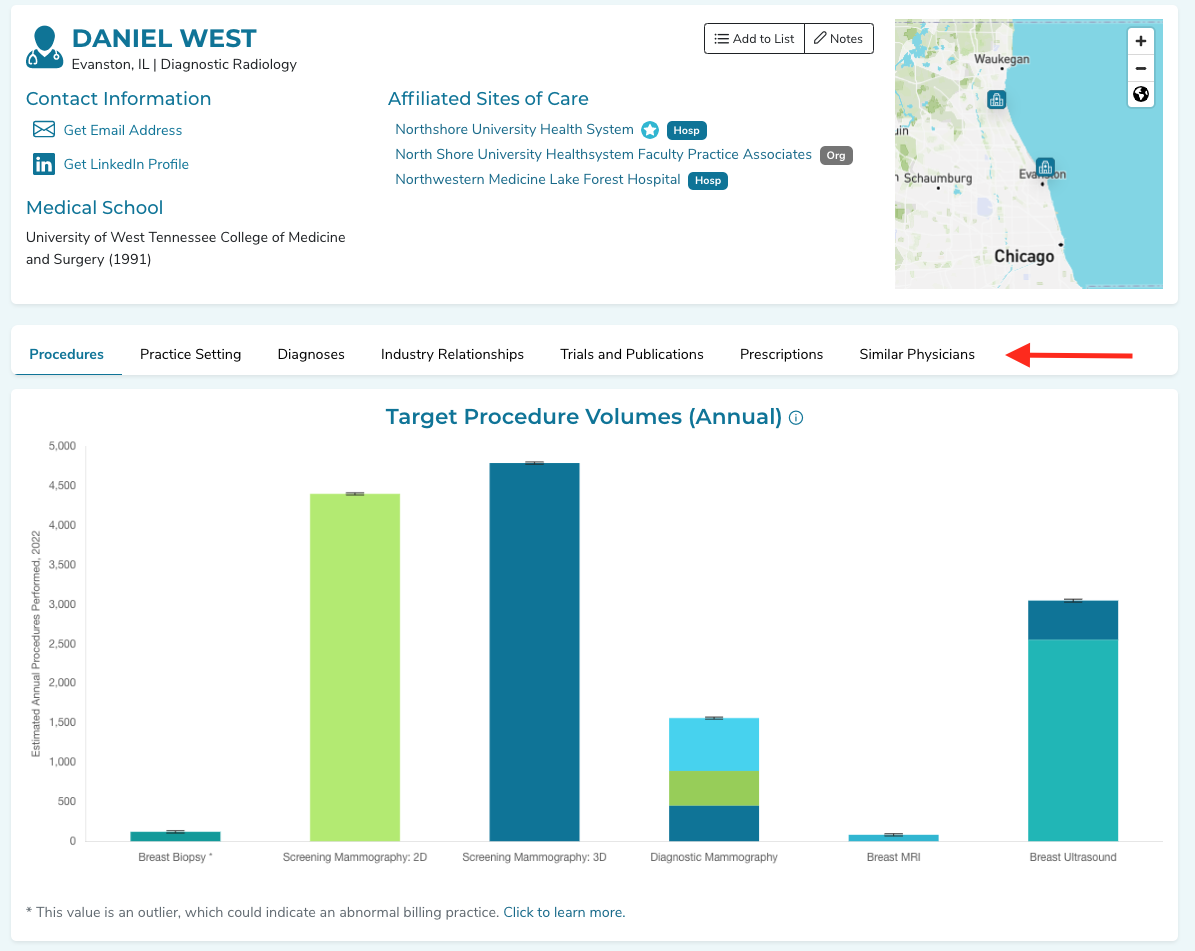
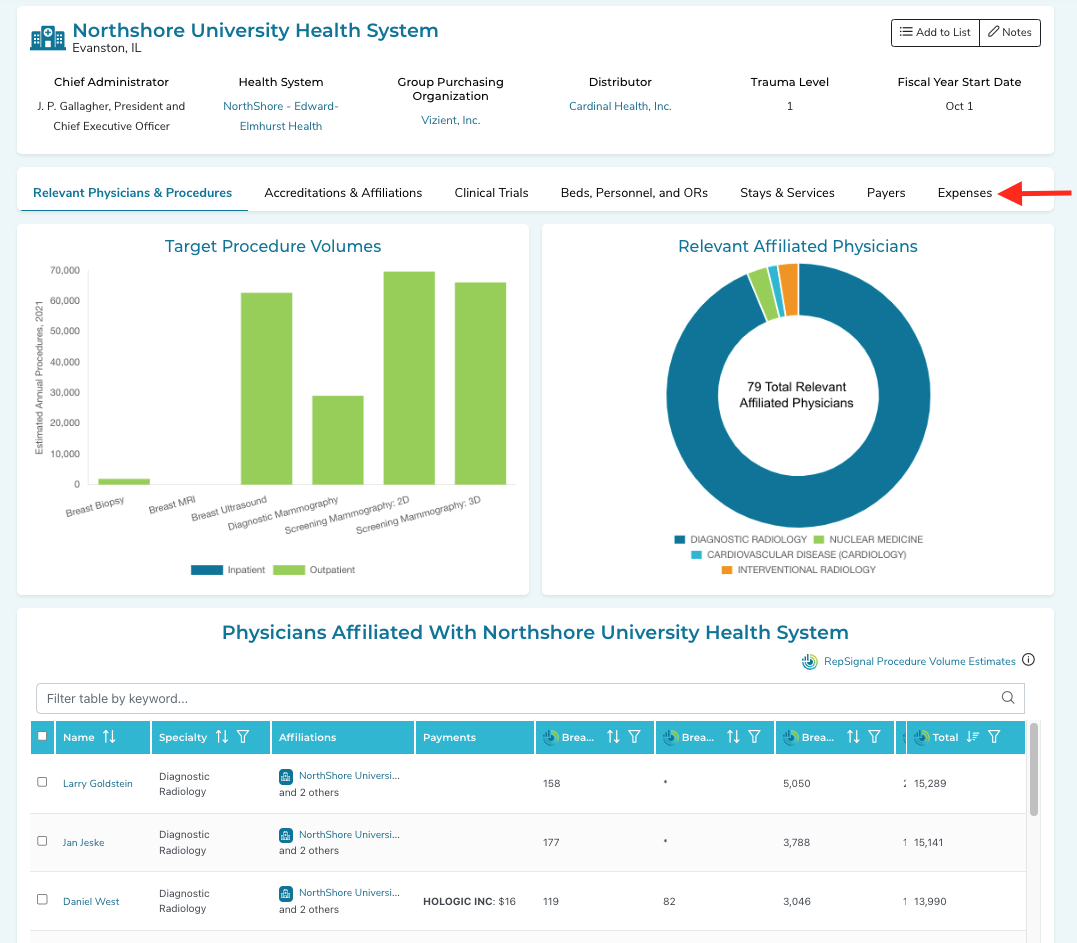
Physician profiles now include insights on each physician’s practice by setting of care
The new tab “Practice Setting” provides a summary of the physician’s total Medicare FFS Practice by Setting of Care
Physician profiles now provide insights on the typical conditions diagnosed by each physician
The new tab “Diagnoses” provides a summary of the physician’s Medicare FFS Encounters by Primary Diagnosis
We added more ASCs, OBLs, and Imaging Centers to RepSignal
For more, see the updates to the Overview of RepSignal Data
We updated some key data points on the Hospital Profile to include 2021 data
We get data from the American Hospital Association for key data points such as GPO, Distributor, etc. This data is now more up to date!
We added the fiscal year to hospital profiles
See the Fiscal Year Start date in the hospital profile header!
What’s New in the Salesforce Integrated RepSignal App
❗New Feature: Hospital Advanced Filtering
We now allow users with Leader licenses to perform advanced filters for hospitals on Market Explorer! Use this feature to identify key sub-segments of your market.
Filtering: Filter by CPT or ICD-10 procedures, affiliated physicians, health system, GPO, services provided, accreditations, number of beds, number of ORs, or payer mix
Apply & Clear Filters: After you’ve selected your filters, the apply button will turn blue for you to click & submit your query. Use the clear button to remove all filters.
Saving Searches: To save a set of filters to return to later, click the “+” button above the filter bar on the right. Input a name and the filters will be saved for you! If you’d like to view one of your saved searches simply click on the saved searches dropdown in the upper right. You can also click on the trash icon in the dropdown to delete a saved search.
Default filters: By default, the procedure and specialty filters from your selected procedure module will be applied.
On Market Explorer, users with leader licenses can now search for physicians based on the conditions they diagnose
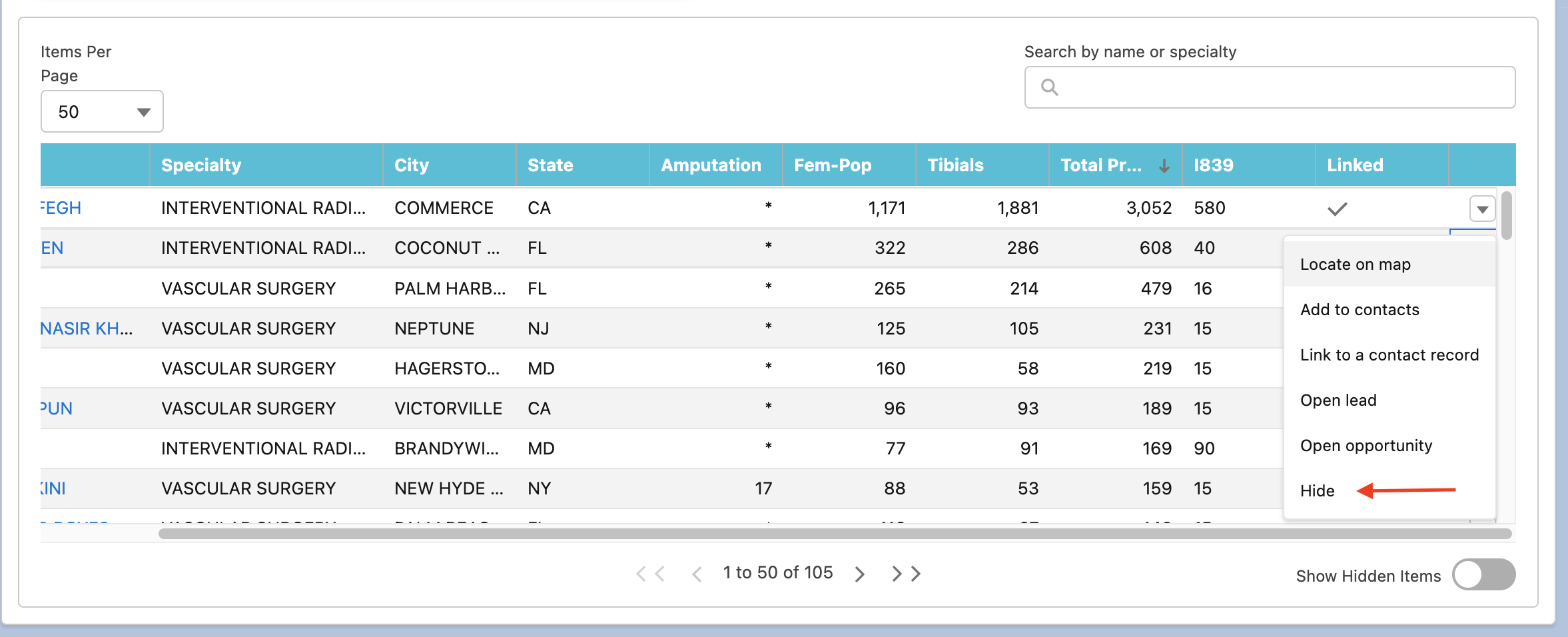
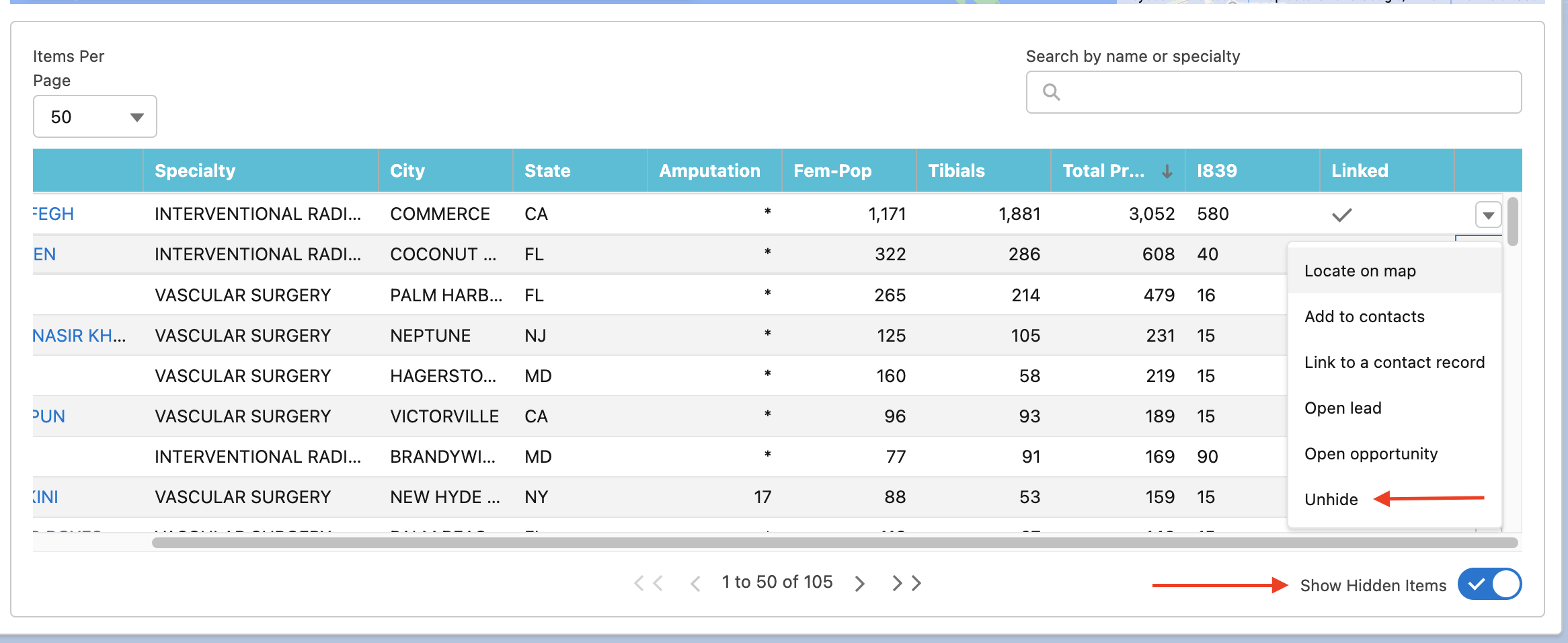
Users can now hide results on Market Explorer
To hide a result: In the table of results below the Market Explorer map, click the action button dropdown on the right side of the table, and then select Hide
To unhide a result: First turn the toggle “Show Hidden Items” on - the toggle is located below the results table on the right. Next click the action button dropdown on the right side of the table, and select unhide
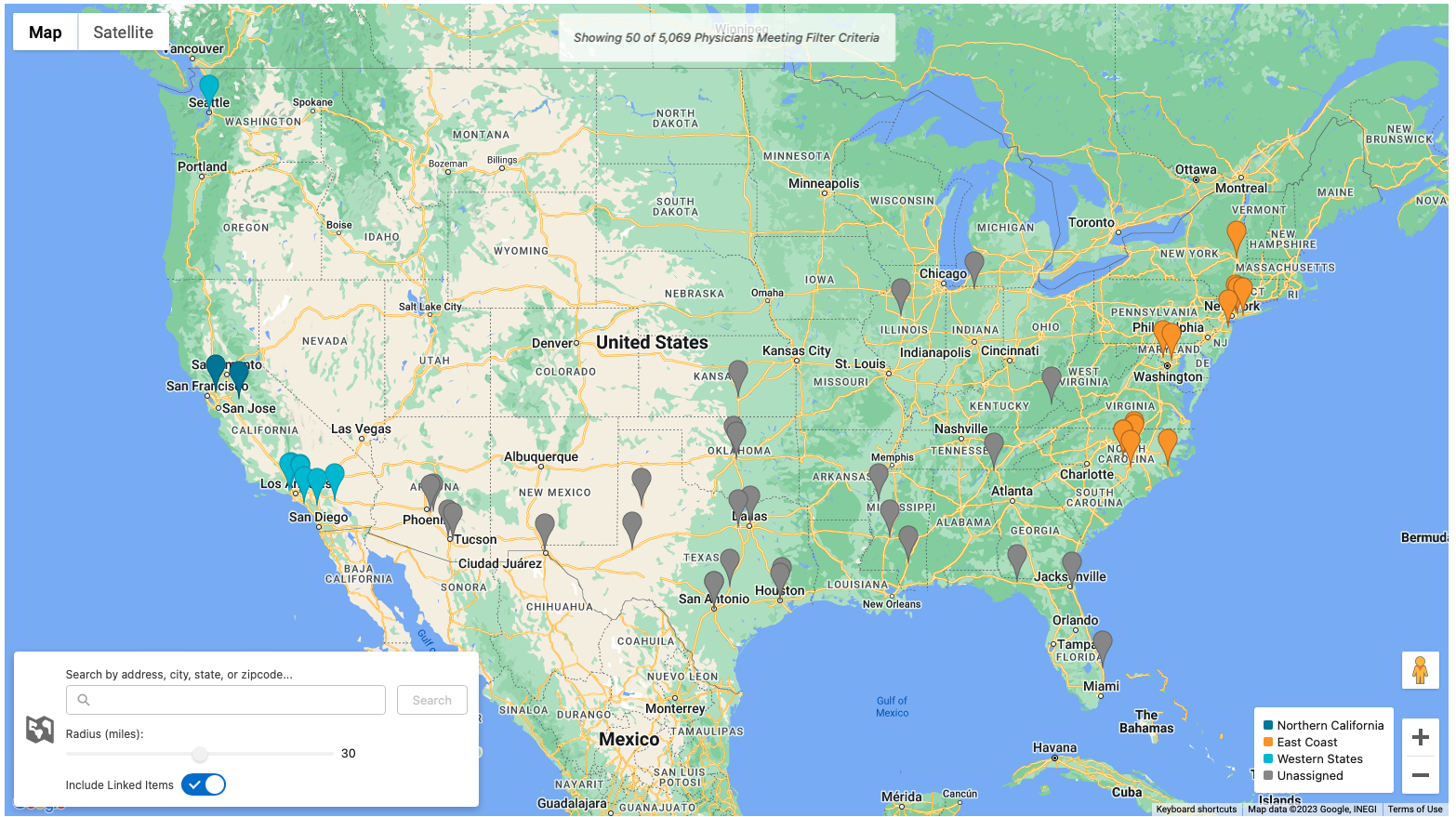
Users assigned multiple territories will now see each territory visually differentiated on their Market Explorer map
We made some updates to make configuring RepSignal more flexible
Users can now specify a record type when creating records
Salesforce Admins can now define required fields when users create records from RepSignal
Salesforce Admins can now elect turn on Smart Territories
Smart Territories allow RepSignal to infer a geographic territory in the case that a Customer's Salesforce Org does not specify geographic territories via Enterprise Territory Management. Smart Territories infer a geographically bound territory based on the accounts currently assigned to a Salesforce user.
Smart Territories can be turned on during the RepSignal Implementation process. For more information, contact your RepSignal account representative.
Bugs Fixed & Small Changes
We made some small tweaks and optimizations to physician advanced filters