V0.17
V0.17.0
April 27, 2023
What’s New in RepSignal
We updated the way we display procedure volume estimates that are <11. Previously, all estimates <11 were represented by a *. Now, we display “1-10” for values that fall into this range, and * where there are no Medicare FFS claims available.
Note that we are required to suppress these exact values to ensure data privacy
What’s New in the Salesforce Integrated RepSignal App
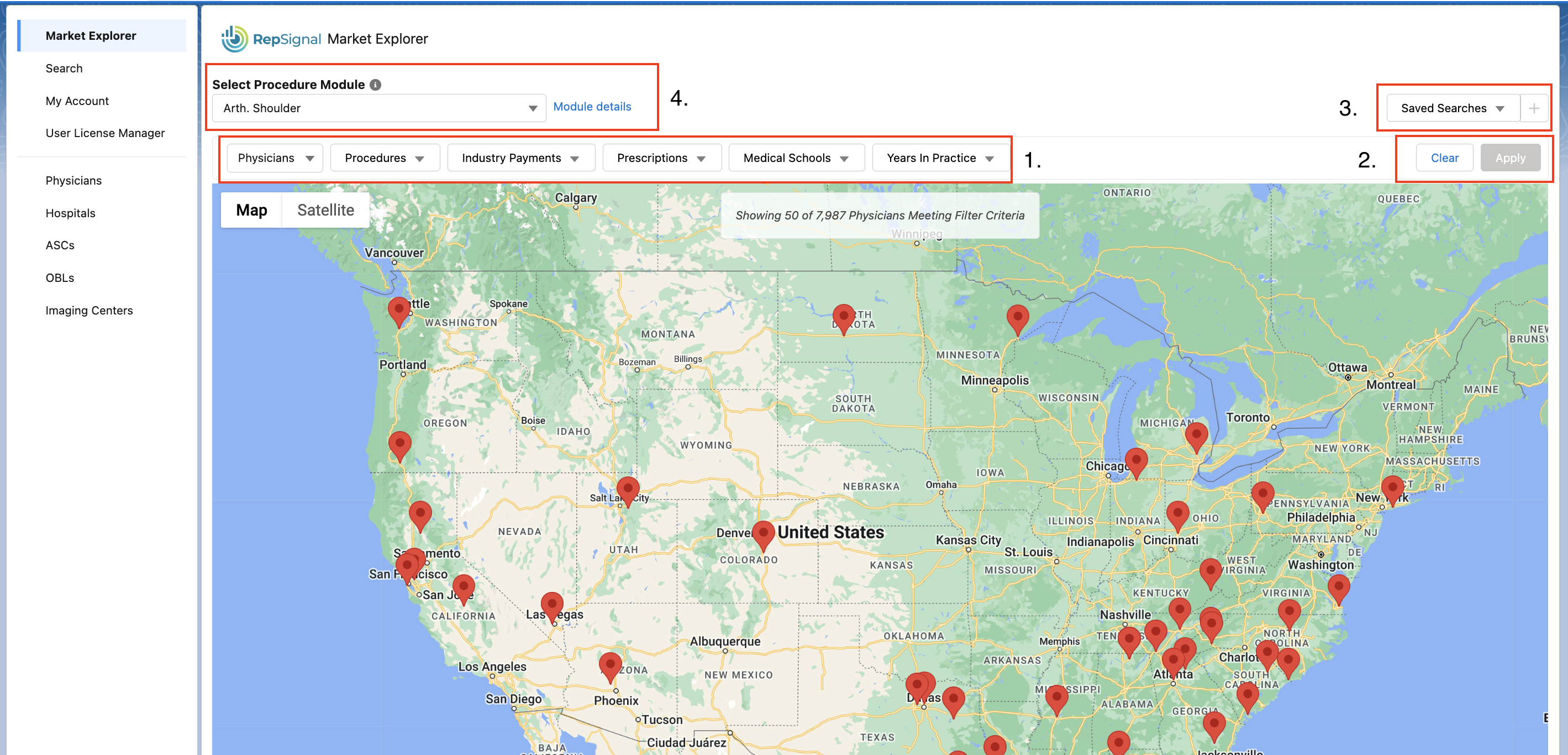
❗ New Feature: Physician Advanced Filtering
We now allow users with Leader licenses to perform advanced filters for physicians on Market Explorer! Use this feature to identify key sub-segments of your market
Filtering: Filter by Procedure CPT code, industry payments, prescriptions, medical schools, and years in practice.
Apply & Clear Filters: After you’ve selected your filters, the apply button will turn blue for you to click & submit your query. Use the clear button to remove all filters.
Saving Searches: If you’d like to save a filter you made you can click the “+” button in the top right. If you’d like to view one of your saved searches simply click on the saved searches dropdown in the upper right. You can also click on the trash icon in the dropdown to delete a saved search.
Default filters: by default, the procedure and specialty filters from your selected procedure module will be applied.
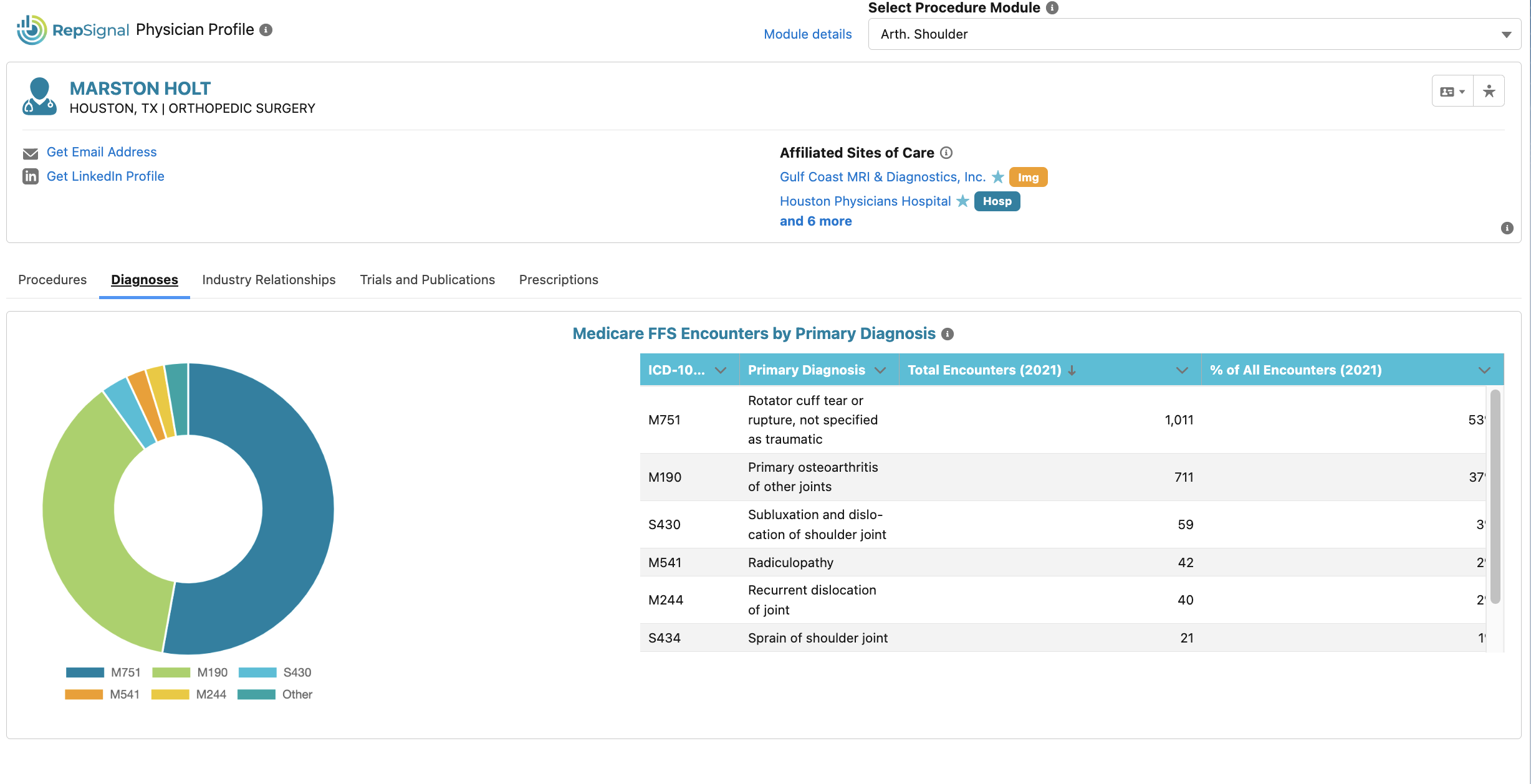
We added physician diagnosis data to the Physician Profiles in Salesforce
Every profile now has a section titled “Medicare FFS Encounters by Primary Diagnosis” which summarizes the physicians 2021 Medicare FFS claims by the primary diagnoses (tip: primary diagnosis is also know as the “reason for visit”)
This data can deepen our understanding of a physician’s clinical focus and be used to qualify leads
New look, same great profiles. We redesigned our physician, hospital, and alternate site profiles so you can easily find what you are looking for…
We added a horizontal nav bar and grouped some of our data tables and charts into categories
We updated headers so that it includes only the most important background information
We added additional data to the Salesforce Hospital Profile
New data points include number of beds, personnel, services, alternative payment methods, hospital revenues, & key hospital expenses
We added additional data to the ASC profile in Salesforce
New data points include ownership type, number of ORs, accreditation, and services provided
We made some updates to the User License Manager page
Keeping track of all licensed users in your org can be difficult…so we added a search bar that SFDC admins can use to quickly find a specific user in the table by name or email
We also added additional filters that you can use for all users in your org including viewing their 'License Type', 'Status', and 'User Profile'
We made installing and setting up RepSignal more effective
Admins can now specify required fields for opening records from the RepSignal app
Bugs Fixed & Small Changes
We fixed small search bugs in Market Explorer